Codex in-browser, safely.
How I rolled out Codex's built-in browser to manual QA and non-technical teammates with a permissions posture they (and security) could actually live with. The setting they see, and the policy underneath.
What the user sees.
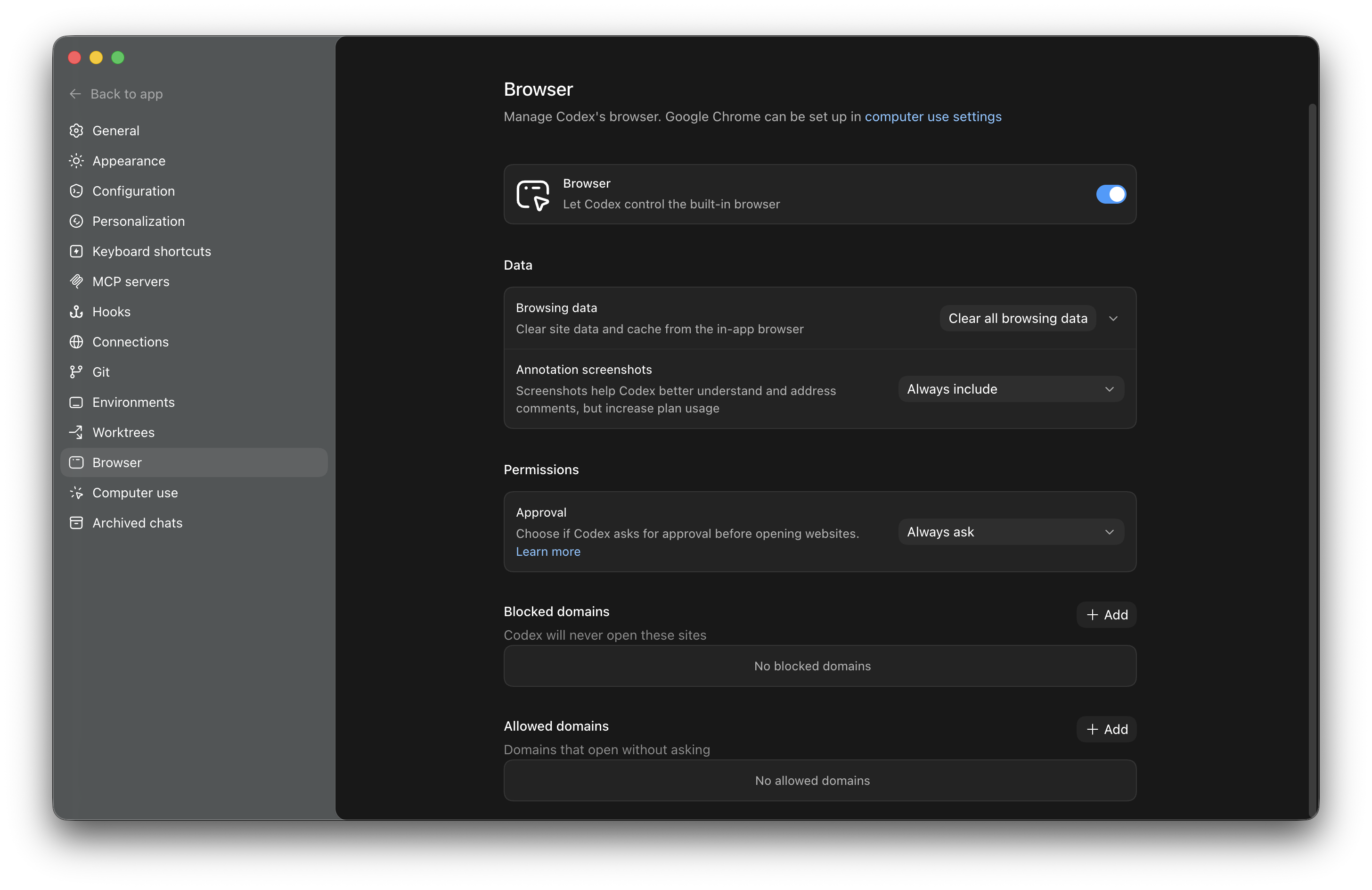
// Codex's built-in browser settings · what every QA / PM gets when they enable it
How we wired security.
Approval: always ask
Every new domain triggers a prompt. The agent never silently opens an arbitrary site. For a non-technical user, that "is it ok to open X?" gate is the difference between a tool and a risk.
Allowed domains · narrow
Pre-staged the company's own apps, AIO, Jira, the staging URLs. Everything else needs approval. New URLs surface a one-click "add to allowed" — but only the user can confirm.
Blocked domains · explicit
Tenants with sensitive surfaces (billing portals, admin tools, anything keyed for personal data) get pre-blocked at the org level. Codex never tries.
Annotation screenshots: always on
Costs more plan tokens, gains the user fidelity. For QA workflows that's worth it — the agent sees exactly what the user sees.
Data: short-lived
Clear browsing data on every session boundary. No persistent cookies, no remembered sessions. The agent re-authenticates explicitly each time.
What this unlocks for non-technical teammates.
What I learned rolling this out
- "Always ask" is the underrated default. Friction-as-a-feature. Non-technical users actually want the gate — it teaches them what the agent is about to do.
- Allowed domains scale with usage. Started narrow, added domains as they came up. Most teams stabilized at ~12 allowed domains after two weeks.
- The settings panel is the trust surface. When QA could see "annotation screenshots: always include" and "approval: always ask," they trusted the tool faster than any onboarding doc could've taught.